
Creating a Short Film: 09 VFX Environments
7h 9mBeginner2019-03-18
Authors
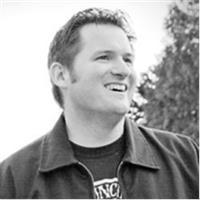
Chad Perkins
Award-Winning Filmmaker, Published Author
Course details
In the 13-part Creating a Short Film series, filmmaker Chad Perkins showcases what it actually takes to create a short film—from the brainstorming stage, all the way until opening night. In this installment of the series, Chad focuses on VFX, detailing how to use key tools like After Effects (AE) and Mocha Pro to create a compelling, believable world for your film. He covers the basics of compositing and keying, goes over how to remove objects with both AE and Mocha Pro, and discusses how to make CG scenery. Plus, learn how to create an aerial shot, rotoscope your characters, shoot with an awareness of post, and more.
Learning objectives
Approximating believable realities
Creating a great key
Keying impossible shots
Tracking in After Effects (AE)
Removing objects with AE and Mocha Pro
Making CG scenery
Creating an aerial shot
Preparing a Cinema 4D file for AE compositing
Rotoscoping characters
Shooting VFX shots
Learning objectives
Approximating believable realities
Creating a great key
Keying impossible shots
Tracking in After Effects (AE)
Removing objects with AE and Mocha Pro
Making CG scenery
Creating an aerial shot
Preparing a Cinema 4D file for AE compositing
Rotoscoping characters
Shooting VFX shots
Skills covered
mochaImagineer SystemsVisual EffectsAfter EffectsMotion Graphics and VFXAdobeDeep Dive (X:Y)
Concepts
0. Introduction
- 01 - About this training series
- 02 - The Assurance
- 03 - Introduction to this course
- 04 - About the third-party plugins used
- 05 - Dealing with the exercise files
1. The World of VFX
- 06 - Understanding compositing
- 07 - An overview of creating computer-generated (CG) images
- 08 - Approximating believable realities
- 09 - Making things perfectly imperfect
2. Creating a Great Key
- 10 - Intro to keying - Keylight
- 11 - Intro to keying - Primatte
- 12 - Tips for pulling a great key
- 13 - Keying fine details
- 14 - Creating a luma key
- 15 - Keying impossible shots
- 16 - Getting perfect edges
- 17 - Painting the alpha channel
3. Motion Tracking and Other Core Skills
- 18 - Combining takes for the best performance
- 19 - Tracking in After Effects (AE)
- 20 - Tracking in Mocha
- 21 - Removing blemishes digitally
- 22 - Removing objects with After Effects, part 1
- 23 - Removing objects with After Effects, part 2
- 24 - Removing objects with Mocha Pro
4. Creating CG Worlds
- 25 - Making CG scenery
- 26 - An overview of VUE xStream
- 27 - Creating canyons in VUE xStream
5. Creating the Aerial Shot
- 28 - Creating a plan and shooting the footage
- 29 - Making the campfire elements
- 30 - Creating glowing embers
- 31 - Cleaning up the footage
- 32 - Combining the elements, part 1 - Assembling
- 33 - Combining the elements, part 2 - Compositing
- 34 - Making the smoke trail in Trapcode Particular
- 35 - Changing the time of day
6. Creating the Helmet Shot
- 36 - Why did we create this shot
- 37 - Using normal maps on Golhatn's helmet
- 38 - Modeling the candlesticks
- 39 - Creating the melted candles
- 40 - Adding materials to the objects
- 41 - Lighting the scene
- 42 - Preparing the Cinema 4D file for AE compositing
- 43 - Creating flickering candlelight with Particular
- 44 - Adding depth of field in After Effects
- 45 - Enhancing the smoke in the scene
- 46 - Adjusting the mood by changing the color
7. Rotoscoping Out Characters
- 47 - Creating a strategy
- 48 - Finding or making a clean plate
- 49 - Rotoscoping out the characters
- 50 - Polishing the composite
8. Creating the Finale Scene
- 51 - Examining the plan for the scene
- 52 - Editing the VUE renders
- 53 - Creating matte paintings
- 54 - Art directing footage of clouds
- 55 - Understanding focal length and lens properties
- 56 - Compositing with smoke and fog
- 57 - Anatomy of shot 13
- 58 - Animating Golhatn in Cinema 4D and After Effects
- 59 - Animating subtle camera moves in post
9. Shooting Visual Effects (VFX) Shots
- 60 - Should you shoot VFX outdoors or indoors
- 61 - Shooting an even green screen
- 62 - Using practical lights to supplement VFX
- 63 - Shooting with an awareness of post
- 64 - Using a VFX supervisor
Conclusion
- 65 - Getting better at visual effects
- 66 - Previewing the next course
- 67 - Final thoughts