
Reason 12 Essential Training
2h 46mBeginner2022-04-15
Authors
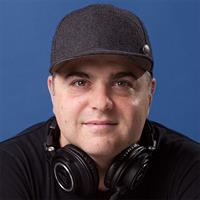
Nate Mars
Producer, Music Technologist
Course details
Reason is one of the most popular digital audio workstations (DAW) in use today, due to its numerous virtual instruments and creative devices, powerful editing and mixing capabilities, and its ability to use third-party plug-ins. Not only that, many of the devices in the Reason rack exactly emulate their analog counterparts, so you can apply many of the techniques and functionality you learn in reason to tools you’d find in any recording studio. In this course, music producer and sound designer Nate Mars covers everything from the basics of configuring reason to a tour of advanced instruments and sound design. He shows you how to create Reason 12 projects as standalone projects, or as a plug-ins to use with other DAWs. He teaches you how to create and edit MIDI and audio clips, mix and master your own productions, and takes an in-depth look at Reason’s most popular and powerful tool, the Combinator.
Skills covered
ReasonPropellerheadMusic ProductionDigital Audio WorkstationsAudio and MusicEssential Training
Concepts
Introduction
- Bring your music to life in Reason
- What you should know
Starting a New Reason Project
- Overview of the interface
- Configuring preferences in Reason
- Using Reason's library and browser
- Tips for finding sounds and patches
- Using the sequencer and transport
- Understanding the mixer and mix window
Signal Flow, Routing, and File Types in Reason
- Working with audio files in Reason
- Working with MIDI in Reason
- Understanding control voltage and patching
- The power of REX files
Working with Reason Instruments
- Drum machines and beat tools - Redrum, Kong
- Drum machines and beat tools - Rytmik, Klang
- Synthesizers - Subtractor, Malstr m
- Synthesizers - Thor, Europa
- Synthesizers - Humana, Pangea
- Samplers - NN19 sampler, NNXT advanced sampler, Dr. Octo Rex, and Mimic
- Other unique Reason instruments
Using Effects and Other Tools in Reason
- Exploring Reason's powerful audio effects
- Working with MIDI effects and player devices
- How to use third-party plugins
Creating Your Own Combinator Instrument
- Creative possibilities with Combinator
- Working with multiple devices
- Mapping parameters in Combinator
Arrangement and Workflow
- Recording into the sequencer
- Editing basics with Reason - Audio and MIDI
- Adding automation and mapping parameters
Reason as a Plugin in Another DAW and on the Go
- Workflow with the Reason Rack in Ableton, Logic Pro, ProTools, and more
- Reason compact for iOS
Mixing Your Song in Reason
- Using Channel EQ and effects
- Working with the master bus
- Exporting your project
Conclusion
- Next steps