
Programming Foundations: Fundamentals
2h 11mBeginner2024-12-13
Authors
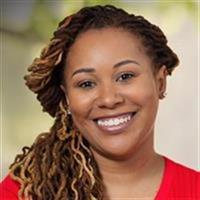
Annyce Davis
Engineering leader, international conference speaker, and author.
Course details
Gain the core knowledge to begin programming in any language. In this course, instructor Annyce Davis uses Python to explore the core concepts and structure of programming languages and helps you grasp what’s going on under the hood. After going over basic statements and expressions in Python, Annyce explores strings, variables, and conditional code—which are common topics in all programming languages. She also shows how to work with different kinds of data and troubleshoot a variety of errors. Along the way, she compares how code is written in several different languages and provides guidance on the criteria to use when choosing a programming language. Upon wrapping up this course, you’ll have the knowledge you need to continue your coding journey in whichever language piques your interest.
Learning objectives
Writing source code
Basic statements and expressions
Working with numbers and strings
Writing conditional code
Increasing your efficiency with functions
Working with comments
Making decisions in code
Troubleshooting errors
Learning about other languages
Learning objectives
Writing source code
Basic statements and expressions
Working with numbers and strings
Writing conditional code
Increasing your efficiency with functions
Working with comments
Making decisions in code
Troubleshooting errors
Learning about other languages
Skills covered
Programming FoundationsPythonFoundationsOpen SourceSoftware Development
Concepts
Introduction
- The fundamentals of programming
- Following along with the course
Programming Basics
- What is programming
- What is a programming language
- Writing source code
- Running your code
- Using an IDE
Programming Syntax
- Why Python
- Installing Python on a Mac
- Installing Python on Windows
- Running Python on the command line on Mac
- Running Python on the command line on Windows
- Installing Visual Studio Code on a Mac
- Installing Visual Studio Code on Windows
- Running Python in an IDE
- Basic statements and expressions
- Troubleshooting issues
Variables and Data Types
- Introduction to variables and data types
- Variables across languages
- Working with numbers
- Working with strings
- Properly using whitespace
- Working with comments
- Challenge - What's the output
- Solution - What's the output
Conditional Code
- Making decisions in code
- Exploring conditional code
- Working with simple conditions
- Conditionals across languages
- Challenge - Guessing game
- Solution - Guessing game
Modular Code
- Introduction to functions
- Creating and calling functions
- Setting parameters and arguments
- Returning values from functions
- Functions across languages
- Challenge - Favorite cities
- Solution - Favorite cities
Glossaries
Conclusion
- Exploring languages
- Next steps