
Learning PowerShell
1h 24mBeginner2020-02-14
Authors
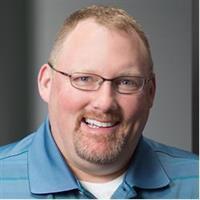
Matt Hester
IT Pro, Author, Technical Evangelist
Course details
What is PowerShell? PowerShell is a powerful language used for scripting and automation for your IT Infrastructure. In this short course, author Matt Hester provides an overview of the most current release, PowerShell 5.0, including how to read the PowerShell language and scripts, get help, and use cmdlets.
Matt then dives into PowerShell's functions and What If statements, working with output, and coding in the Integrated Scripting Environment (ISE). The course wraps up with some tips on using PowerShell for both on-premises and cloud deployments involving Office 365 and Azure.
Learning objectives
Identify the purpose of a delimiter.
Recognize the tools needed to build a command using the ISE.
Identify the options to use when running Get-Service from a remote computer.
Recognize the capabilities of four cmdlets.
Explain how to transfer aliases from a file into PowerShell.
Determine if a cmdlet will generate an error when executed.
Matt then dives into PowerShell's functions and What If statements, working with output, and coding in the Integrated Scripting Environment (ISE). The course wraps up with some tips on using PowerShell for both on-premises and cloud deployments involving Office 365 and Azure.
Learning objectives
Identify the purpose of a delimiter.
Recognize the tools needed to build a command using the ISE.
Identify the options to use when running Get-Service from a remote computer.
Recognize the capabilities of four cmdlets.
Explain how to transfer aliases from a file into PowerShell.
Determine if a cmdlet will generate an error when executed.
Skills covered
PowerShellIT AutomationLearningNetwork and System AdministrationMicrosoft
Concepts
0. Introduction
- 01 - Welcome
- 02 - What you should know
- 03 - Using the exercise files
1. PowerShell Overview
- 04 - Why PowerShell
- 05 - How to read the language
- 06 - Getting help
- 07 - Discovering cmdlets and aliases
- 08 - Get-Service and Get-Member
2. Using PowerShell
- 09 - Functions
- 10 - Relieving anxiety with -WhatIf and -Confirm
- 11 - ISE and you
- 12 - Working with output
- 13 - Grid view
- 14 - Running PowerShell remotely
3. Taking PowerShell On Premises and Online
- 15 - Finding and installing modules
- 16 - Server cmdlets
- 17 - Office 365 PowerShell
- 18 - Azure PowerShell
Conclusion
- 19 - Next steps