
Learning Max for Live
1h 15mBeginner2014-11-14
Authors
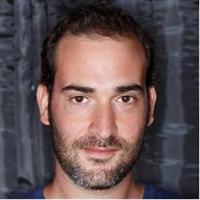
Yeuda Ben-Atar
Produces and performs electronic music and teaches Ableton Live
Course details
Max for Live is a collection of instruments, effects, and tools to expand Ableton Live's music-production and live-performance capabilities, as well as a platform for building your own DIY devices. In this short course, author Yeuda Ben-Atar, aka Sidebrain, walks you through Max for Live Essentials (the free download for Ableton Suite 9 users), covering the Buffer Shuffler and Convolution Reverb, the LFO and Envelope Follower, and drum synths, and then shares some of his favorite third-party Max for Live devices. Yeuda also shows how to turn Ableton Live into a VJ station and program your own devices, like the patch he creates to turn the PlayStation 3 controller into a MIDI controller, with Max for Live.
Skills covered
Max for LiveCycling74Audio EquipmentAudio and MusicLearning
Concepts
Introduction
- Welcome
- Using the exercise files
Exploring Max for Live
- What is Max for Live
- Installing Max for Live
- Using the Buffer Shuffler
- Sound design with Convolution Reverb
- Ableton Live as a modular environment
- Using control devices
- Synthesizing drums
- Sequencing using the Mono Sequencer
- Third-party devices
- VJing in Ableton Live
- Learning how to program Max for Live
- Programming a PlayStation 3 (PS3) game controller