
Learning Headshot Photography
2h 11mBeginner2018-01-29
Authors
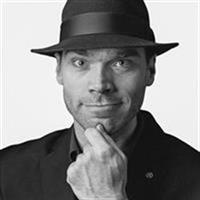
Levi Sim
Photographer, Teacher
Course details
Making headshots for businesspeople can be fun and lucrative. In this course, instructor Levi Sim covers the essentials for making great business portraits, from lighting and camera choices to interacting with your subjects and helping them look their best in front of the camera. Levi explains how to find your unique style, select lenses that are flattering to your subjects, position your lights, and pick the right backdrop. He also shares tips for posing your subject for a headshot in a way that looks natural, and shows how to efficiently retouch headshot images.
Learning objectives
Finding your style
Using flattering lenses
Using a tripod for portraiture
Flash vs. speedlight advantages
Light modifiers
Choosing your backdrop
Makeup and blotters
Lighting a headshot for a subject who wears eyeglasses
Learning objectives
Finding your style
Using flattering lenses
Using a tripod for portraiture
Flash vs. speedlight advantages
Light modifiers
Choosing your backdrop
Makeup and blotters
Lighting a headshot for a subject who wears eyeglasses
Skills covered
Portrait PhotographyPhotographyOne-Off
Concepts
Introduction
- Welcome
- Be sure to watch my other course
About Headshots
- Who uses headshots
- Headshots not snapshots
- Finding your style and mastering it
Camera and Lens
- Minimums - Long lens, hotshoe, resolution, and picture size
- Flattering lenses - Kit, 85mm f 1.8, and distance from subject
- Don't use a smartphone
Tripod
- Why a tripod
- Essential tripod features
- How to use a tripod for portraiture
Lights
- Positioning your lights
- Types - Continuous, flash, and speedlight
- Bigger is better
- Flash vs. speedlight advantages
- Light modifiers
Backdrops and Stands
- Backdrop vs. available
- Choosing your backdrop
- Support and safety tips
Working with People
- Two situations, same requirements
- Makeup and blotters
- What to wear
- Eyeglasses
- Simple poses
- Choosing the side of the face
- Camera height and tripod use
- Review pictures with subject
- Things to say, look at toes, Hurleyisms
- Shoot from start to finish
Finishing and Delivery
- Finish strong - Your job isn't over
- Cull with hindsight
- Use color checker and white balance targets
- Retouching in Lightroom and Perfectly Clear
- Batch retouching
- Delivery
Conclusion
- Next steps