
Create Your Creator Media Kit Using Canva Pro
42mBeginner2022-12-23
Authors
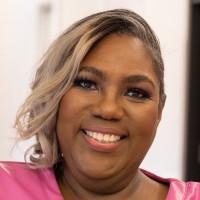
Jai Stone
Digital Brand and Content Strategy Coach
Course details
If you’re a creator, you need an effective media kit to make yourself and your brand stand out. Creator and strategic brand coach Jai “BrandMother” Stone provides step-by-step guidance on how to create the key elements of your creator media kit using Canva.
Become a successful creator with a results-driven media strategy to boost your visibility, credibility, and reputation. Learn what belongs on your cover page, how to create a headliner bio and a professional bio, how to list media appearances, how to highlight your skills, and much more. By the end of this course, you’ll be prepared to create and design a multi-platform media kit that positions your online presence and expertise in a way that attracts media attention.
Become a successful creator with a results-driven media strategy to boost your visibility, credibility, and reputation. Learn what belongs on your cover page, how to create a headliner bio and a professional bio, how to list media appearances, how to highlight your skills, and much more. By the end of this course, you’ll be prepared to create and design a multi-platform media kit that positions your online presence and expertise in a way that attracts media attention.
Skills covered
CanvaCreator ContentInfographicsContent MarketingGraphic DesignMarketing
Concepts
Introduction
- Canva for creators
Preparing for Your Media Kit
- Are you a media-friendly creator
- Benefits of Canva Pro
- Setting up your media brand kit
Elements of Your Media Kit
- Media kit pages overview
- What belongs on the cover page
- Bio pages - Headliner bio and professional bio
- Credibility - Media pages for everyone
- Credibility - Accomplishments and accolades
- Positioning - Expert topics
- Positioning - Providing social proof
- Contact page - How to book you
- Photos, images, and styles
Design Your Kit in Canva
- Designing your page layout
- Creating your image frames
- Laying out text
- Tips for working in Canva
Conclusion
- Next steps - Buying templates and finding media opportunities